Home/Applications/Google Workspace
Google Workspace™ Marketplace
Fifteen add-ons for
Docs, Sheets, Slides and Gmail.
Small, sharp tools that do one job inside the document you are already in — no export, no second app, no waiting.
Featured
Start here

Statwise
Google Sheets™Sixteen Analysis ToolPak-style analyses — descriptive statistics, t-tests, ANOVA, F-test and full regression tables — inside Sheets, validated against certified reference datasets.
View on the Marketplace
Icons
Slides™ & Docs™A searchable library of 125,000 icons in 28 matched styles that you recolour and drop straight onto a slide. No account, no sign-in.
View on the Marketplace
Fontly
Docs™, Sheets™, Slides™Browse 1,800+ fonts, each drawn in its own typeface, filter by style or writing script, and apply one to your selection without leaving the document.
View on the Marketplace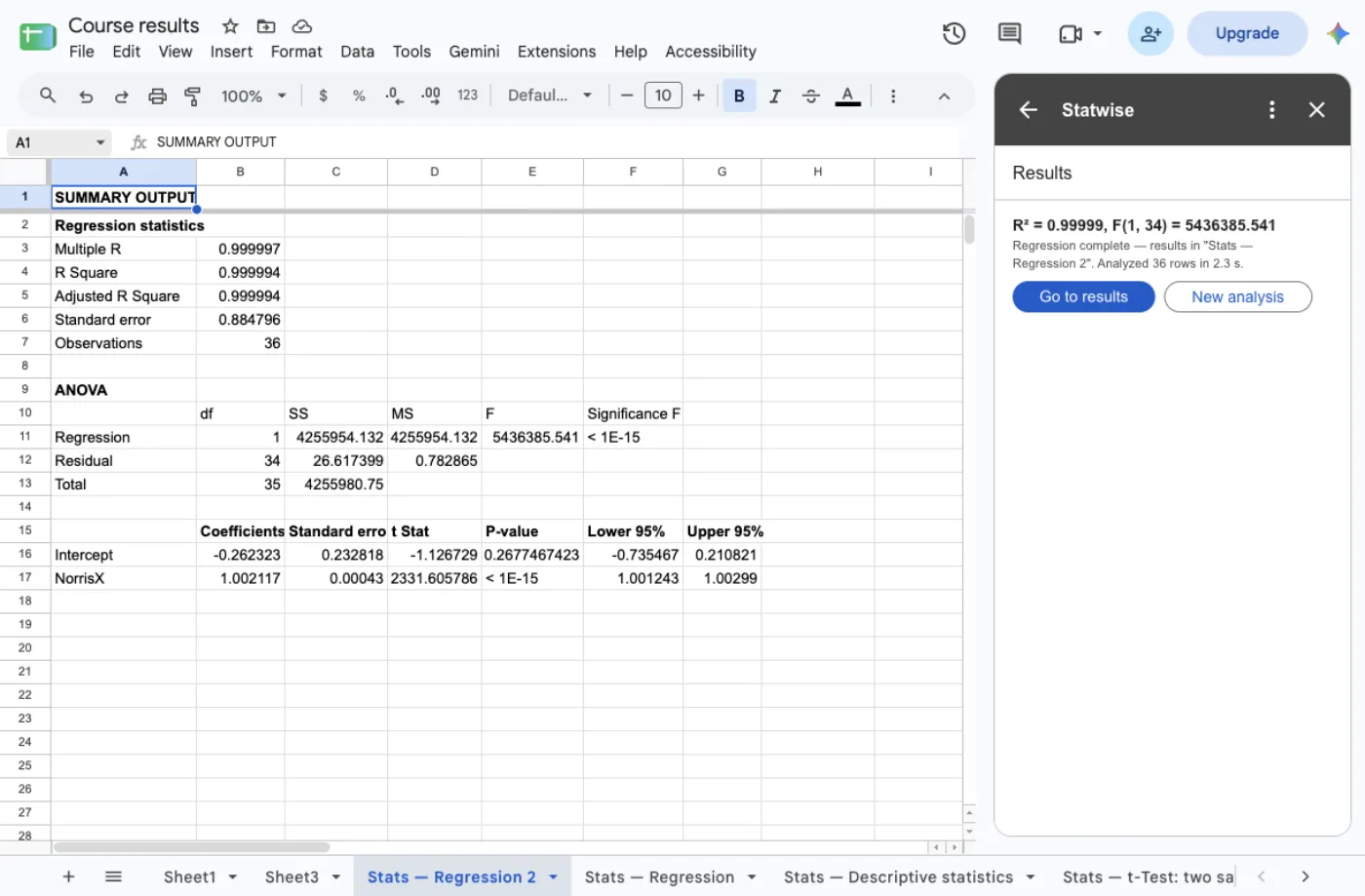
12 more
The rest of the suite
 Change CaseGoogle Sheets™
Converts the text in the cells you selected to UPPERCASE, lowercase, Title Case or Sentence case — thousands of cells in about a second, never touching numbers, dates or formulas.
 AlphabetizeGoogle Docs™
Sorts the lines, list items or table rows you selected A→Z or Z→A, showing you the new order before it touches the document, with undo after.
 OutlineGoogle Docs™
A live side panel listing every heading in the document, indented by level, so you can see the whole structure and jump anywhere in one click.
 HighlighterGoogle Docs™
Turns plain highlighting into usable qualitative coding — mark passages into named categories, count them, and extract the marked text into the document.
 PrismGoogle Docs™
Turns a block of pasted code into something readable inside Docs — monospaced, with keywords, strings, comments and numbers each in their own colour, for the common languages: JavaScript, Python, SQL, JSON and more. One click puts the block back.
 PinpointGoogle Sheets™
Turns a column of addresses into latitude and longitude columns, with a dry run first and results written only into new columns so nothing of yours is overwritten.
 RecurGmail™
Write an email once in the Gmail side panel and have it sent on a repeating schedule — hourly, daily, weekly, on weekdays or monthly.
 CardsGmail™
Turns an e-mail into a Trello™ card without leaving Gmail™ — the subject becomes the title, the message becomes the description, and you pick the board and list from the side panel.
 UnbreakGoogle Docs™
Repairs text pasted from a PDF, an email or a transcript: rejoins the lines broken mid-sentence and leaves the real paragraphs alone. It never changes a word. Preview before, undo after.
 CadenceGoogle Sheets™
E-mails a range from your sheet on a schedule — daily, weekdays, weekly, monthly or hourly — and records every run as sent, skipped or stopped, with the reason. One button stops everything.
 Goal SeekGoogle Sheets™
Answers the backwards question: name the formula cell, the number it must reach and the one cell it may change, and it searches until it lands — with the cost shown and one-click undo.
 RainbowGoogle Docs™
Colours the text you select — gradients across the words, alternating letters, letters that grow, or the line turned upside down — from six readable palettes, with one press to restore the original.
Contact
Tell us what is not working
Write in English or Romanian. A person reads it — usually the same person who would do the work — and answers within one business day.